Parenting
ScreenWarden for Roku
Parental controls and screen time limits for every Roku in your home
A Windows app that sets daily app limits, bedtimes, wake-up routines and schedules for every Roku in your home.
About ScreenWarden for Roku
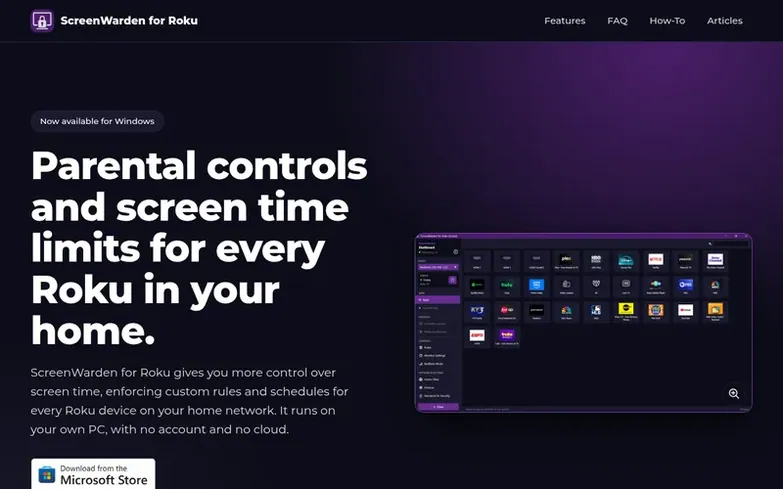
ScreenWarden for Roku gives you more control over screen time by enforcing custom rules and schedules for every Roku device on your home network. It runs on your own Windows PC, with no account and no cloud. Set daily app limits to restrict how long a specific app can be used, establish nightly bedtime windows to power off Roku TVs or return other devices to the home screen, create wake-up routines to turn on a TV in the morning with a chosen app, and set up password protection to secure your settings. Everything is stored locally on your PC and ScreenWarden only communicates with the Roku devices on your own network.
What we found
- Bedtime mode to power off Roku TVs or return devices to home screen
- Allowed apps approval to close unapproved apps automatically
- Remote control to launch apps on one or multiple Rokus at once
- Home view to see every Roku and control each device remotely
- Device scanner to find and nickname Rokus on the network
Pricing
Pricing model: Free trial
$9.99 USD with a 7-day free trial. Install from the Microsoft Store.
Compare and explore
See the alternatives to ScreenWarden for Roku, more in Parenting.
Common questions
- Which Roku devices does it work with?
- ScreenWarden works with Roku TVs and Roku players that are on your local network. It can power off Roku TVs completely at bedtime. Roku streaming sticks and boxes cannot be powered off remotely, so they are returned to the home screen if an app is opened during bedtime hours.
- Does the PC need to stay on?
- Yes. ScreenWarden runs on your Windows PC, not on the Roku, so rules and schedules are only enforced while the PC is on, awake, and on the same network as your Roku devices. It keeps working from the system tray when its window is closed and can start automatically with Windows.
- Where is my data stored, and is anything sent online?
- Everything is stored locally on your PC, in your Windows user profile. ScreenWarden only communicates with the Roku devices on your own network. It has no accounts, no ads and no analytics.
- Which versions of Windows are supported?
- ScreenWarden for Roku runs on Windows 10 (version 1809 or later) and Windows 11.
- How do I install and update the app?
- Install ScreenWarden for Roku from the Microsoft Store. It costs $9.99, and you can try it free for 7 days first. The Store keeps the app up to date automatically.
Leave a review for ScreenWarden for Roku
We found no reviews of ScreenWarden for Roku yet. Add the first. Reviews here are free and can't be bought by anyone.
ScreenWarden for Roku has a free listing. The owner can unlock the full profile with a paid launch for $5:
- Founder story (locked)
- Milestones (locked)
- Demo video (locked)
- Dofollow website link (locked)