Sports apps

SwingLoop
Automatic golf swing replay for practice
Record and replay your golf swing automatically on iPhone, iPad or Android. Practice with one device or pair two for a dedicated replay screen.
About SwingLoop
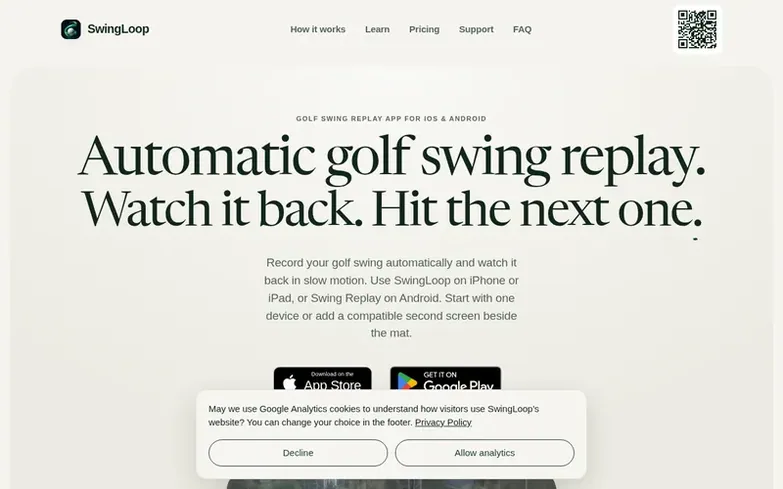
SwingLoop is a golf practice app that automatically records and replays your golf swing in slow motion. Use one device with the front camera to film and replay on the same screen, or pair two compatible devices to keep the camera fixed while the replay appears on a second screen beside the mat.
The app uses on-device body-pose detection to recognize your address, swing, and follow-through, then captures each complete swing automatically without requiring you to press record. You can watch replays at full, half, or quarter speed and set the replay delay from zero to fifteen seconds.
SwingLoop works at driving ranges, home hitting nets, and indoor simulators without requiring Wi-Fi—devices connect directly. You can save, label, compare, and annotate swings, and share clips with your coach. An Apple Watch companion lets you save swings from your wrist during practice.
What we found
- Automatic swing detection
- Single device or two-device setup
- Slow motion playback at multiple speeds
- Replay delay control
- Face-on or down-the-line recording
- Save, label, and compare swings
- Direct device connection without Wi-Fi
- Apple Watch companion for saving swings
- On-device processing without cloud storage
Pricing
Pricing model: Freemium
Monthly: $9.99 USD; Yearly: $59.99 USD. Prices in other regions and currencies shown in app stores. Android available through Google Play.
Compare and explore
See the alternatives to SwingLoop, more in Sports apps.
Common questions
- Do I need two devices to use SwingLoop?
- No. Single device mode uses the front camera to film and shows the replay on the same screen. On iOS, you can use one iPhone or iPad, or pair two compatible Apple devices. On Android, use one compatible device or pair two Android devices. iOS and Android cannot pair with each other. One iOS subscription covers compatible devices signed in to the same Apple Account.
- Does SwingLoop work at a golf range with no Wi-Fi?
- Yes. The devices connect directly, so you do not need to join a Wi-Fi network or create a Personal Hotspot. Keep Wi-Fi and Bluetooth switched on because iOS uses both radios to discover and connect nearby devices. Initial download, purchase, restore, and occasional subscription verification still require internet access.
- Will practice swings and waggles trigger automatic recording?
- They shouldn't. Detection needs the full shape of a golf swing—a settled address, real travel through the ball, and a follow-through that comes to rest. If your bay or your tempo needs it, the sensitivity and both hold times are adjustable.
- Does SwingLoop work indoors or in a simulator bay?
- Yes. Frame yourself head to feet where you can, keep the filming device fixed rather than handheld, and it behaves the same as it does outdoors.
- Can I save and share swings after recording?
- Yes. Recent swings stay available during the replay session, where you can scrub, replay, save, share, or delete a clip. Saved swings can be labelled, filtered, and compared side by side. Share a swing with your coach.
Leave a review for SwingLoop
We found no reviews of SwingLoop yet. Add the first. Reviews here are free and can't be bought by anyone.
SwingLoop has a free listing. The owner can unlock the full profile with a paid launch for $5:
- Founder story (locked)
- Milestones (locked)
- Demo video (locked)
- Dofollow website link (locked)
More in Sports apps
- 0 votes. Log in to recommend Skater XP
- 0 votes. Log in to recommend Sim2Course Golf
-
0 votes. Log in to recommend PlayIQ
 PlayIQAI-powered football coaching and scouting software for automated game film breakdown and playbook building
DR 9
-
0 votes. Log in to recommend BreakFinder
 BreakFinderAutomatic wave tracking for smartwatches: record every surf session with Garmin, Apple Watch, Amazfit and Android Wear, then analyze your progress.
GermanyDR 10
 Skater XP
 Sim2Course Golf