Event management

SeatChart.io
From spreadsheet chaos to a shareable seating chart
An online seating chart maker for weddings, galas, dinners, and events where you create floor plans, organize tables, assign guests, and share the finished
About SeatChart.io
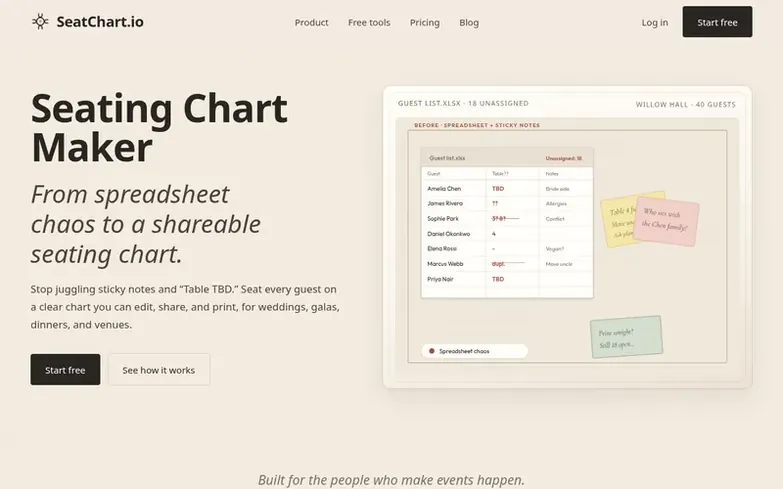
SeatChart.io is an online seating chart maker designed for weddings, galas, corporate dinners, and events. Users can build seating charts by placing tables and chairs on an architectural canvas, importing guest lists from spreadsheets, and assigning seats with clarity. The tool supports various table shapes (round and rectangular) and venue elements like stages, dance floors, and bars.
The platform offers multiple ways to share and finalize seating arrangements. Users can export printable charts as PDF or PNG, share editable links with team members and collaborators, or generate QR codes that allow guests to scan and find their assigned table on the night of the event.
SeatChart.io provides templates for different event types including weddings, galas, birthdays, corporate dinners, restaurants, and conferences. It also features AI floor plan import, allowing users to upload venue layouts as screenshots or PDFs, which the tool automatically detects and converts into editable table arrangements.
What we found
- Full design editor with architectural canvas for placing tables and chairs
- Guest list import from CSV with dietary requirements and comments
- AI floor plan import from screenshots or PDFs
- Export to PDF, PNG, Excel, CSV, and name tags for place cards
- Share links with view-only or edit access for collaborators
- QR code seat finder for guest lookup
- Version history to track changes
- Multiple event templates for weddings, galas, corporate dinners, and more
Pricing
Pricing model: Freemium
Free plan with full design editor, templates, guest list import, one saved event, and three AI floor plan imports. Starter: $8 one-time with 20 events, chart export, version history, share links, and 10 AI floor plan imports. Professional: $14 one-time with 50 events, QR seat finder, three collabora
Common questions
- What does the free plan include?
- The free plan includes the full design editor, templates, guest list import, one saved event, and three AI floor plan imports. You can build and preview a complete seating chart on the canvas.
- How does AI floor plan import work?
- Upload a screenshot or PDF of your venue layout. The tool detects tables and key elements, you review the result, then accept to apply it. A version snapshot is saved before the layout replaces your current canvas.
- Can I import guests from a spreadsheet?
- Yes, you can import CSV files with names and optional columns for groups, dietary notes, and comments. Guests appear in the guest panel ready to drag onto seats.
- How does the QR seat finder work?
- Generate a QR code linked to a guest lookup page where guests enter their name with typo-tolerant matching and see their table and seat. The finder shows only assignments, not the full guest list.
- What export formats are available?
- Paid plans can export seating charts as PDF or PNG in A3 or A4 sizes, guest lists as PDF, Excel or CSV, name tags for place cards, and a QR seat-finder poster.
Leave a review for SeatChart.io
We found no reviews of SeatChart.io yet. Add the first. Reviews here are free and can't be bought by anyone.
SeatChart.io has a free listing. The owner can unlock the full profile with a paid launch for $5:
- Founder story (locked)
- Milestones (locked)
- Demo video (locked)
- Dofollow website link (locked)
More in Event management
- 0 votes. Log in to recommend Shneaky Santa
- 0 votes. Log in to recommend Gleeday
- 0 votes. Log in to recommend Quick Secret Santa
-
0 votes. Log in to recommend Seat Chart App
 Seat Chart AppFree drag-and-drop seating chart maker for weddings, classrooms, events, and restaurants
DR 13
 Shneaky Santa
 Gleeday
 Quick Secret Santa